Holiday on November 12, 2026 — International Ergonomics Day
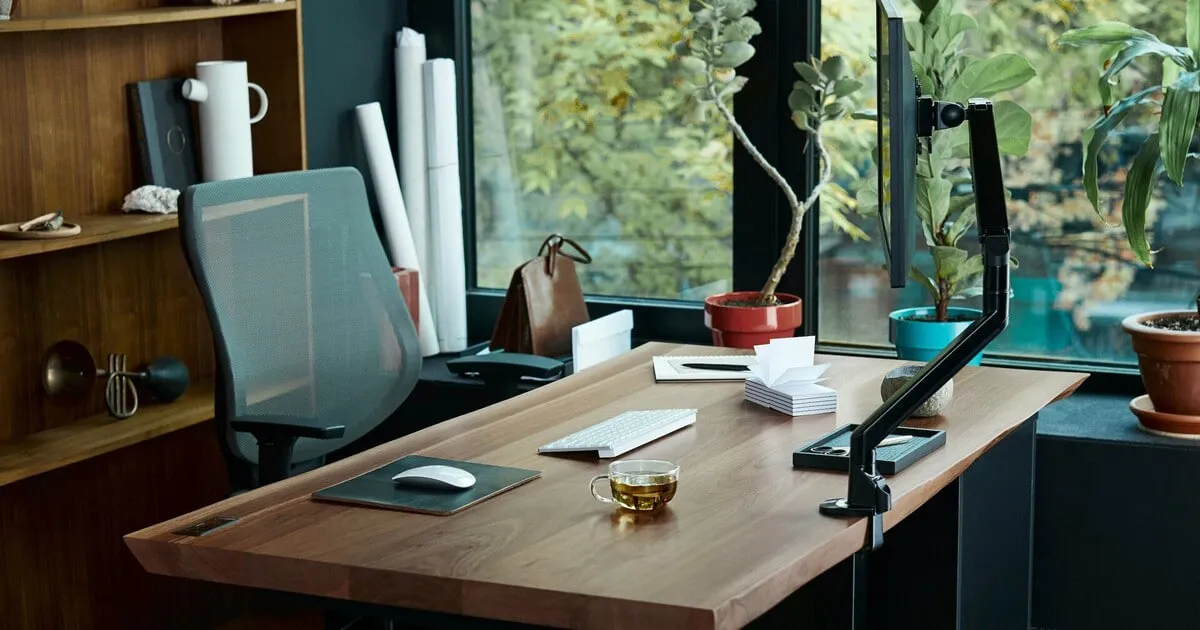
November 12 marks International Ergonomics Day—a day dedicated to the science of human interaction with the work environment, equipment, and technology. Ergonomics helps make work more comfortable, safer, and more efficient by taking into account people’s physical and psychological needs.
This holiday serves as a reminder of the importance of proper workplace design, comfortable furniture, adequate lighting, and regular breaks. Ergonomic principles apply not only in offices and manufacturing facilities but also at home, in educational institutions, and in everyday life.
Important: November 12 is marked in some calendars as Ergonomics Day; however, the UN does not include it in its official list of international days. Therefore, it is more accurate to refer to it as a thematic or unofficial international day rather than a holiday established by the UN.
What Is Ergonomics and Why Is It Important
Ergonomics is a scientific discipline that studies human interaction with various elements of a system and helps adapt work processes, tools, and the environment to human capabilities and needs.
The name comes from the Greek words ergon—“work”—and nomos—“law.” In other words, ergonomics can be viewed as the science of organizing work with human characteristics in mind.
Its main goal is not to force people to adapt to uncomfortable equipment or conditions, but to create systems in which work is safer and more productive. Ergonomic solutions are applied in the design of furniture, automobiles, computer equipment, manufacturing machinery, public spaces, and digital interfaces.

The History of Ergonomics
The ideas behind ergonomics began to take shape long before the emergence of this science as a separate discipline. People have always sought to improve their tools, arrange their living spaces, and create more comfortable conditions for performing everyday tasks.
The term “ergonomics” was first used by the Polish scientist Wojciech Jastrzębski in 1857. He applied it in a work dedicated to the science of labor. Later, in 1949, British psychologist Kenneth Murrell proposed using this term to denote a separate scientific discipline.
In 1959, the International Ergonomics Association (IEA) was founded, bringing together professional societies from various countries. The organization promotes research, the dissemination of knowledge, and the implementation of ergonomic principles in various fields of activity.
Main Areas of Ergonomics
Ergonomics encompasses various aspects of human interaction with the work environment. Experts typically identify three main areas:
Physical ergonomics—studies body posture, movements, physical exertion, repetitive actions, and workplace design. Its principles help reduce the risk of back, neck, and joint pain.
Cognitive ergonomics—deals with mental processes, attention, memory, information perception, and decision-making. It is important when designing software, interfaces, and control systems.
Organizational ergonomics—covers the organization of work processes, schedules, team interaction, and task distribution. Its goal is to make work efficient and comfortable for employees.

How to Set Up an Ergonomic Workspace
Proper organization of the workspace is important for people who spend a lot of time at the computer. An uncomfortable chair, an incorrectly positioned monitor, and insufficient lighting can cause fatigue and discomfort.
To make your workspace more comfortable, follow these simple guidelines:
Adjust the chair’s height. Your feet should be flat on the floor, and your knees should be at approximately a right angle.
Position the monitor correctly. The screen should be directly in front of your eyes, about an arm’s length away. Its top edge should ideally be at eye level or slightly below.
Pay attention to the position of your hands. While working, the keyboard and mouse should be positioned so that your shoulders remain relaxed and your wrists are in a natural position.
Ensure proper lighting. Your workspace should be well-lit, and the light should not cause glare on the monitor.
Take regular breaks. It’s a good idea to get up periodically, change your posture, stretch, and give your eyes a rest.
Organize your workspace. Keep the items you use most often within easy reach so you don’t have to constantly bend over or reach for them.
These recommendations help reduce physical strain and make long hours of computer work more comfortable.
How to Celebrate International Ergonomics Day on November 12
On November 12, take some time to focus on your own workspace and check how well it meets your body’s needs. For example, adjust your chair, reposition your monitor, clear your desk of unnecessary items, or set up more comfortable lighting.
In businesses and offices, this day can be used to hold themed lectures, consult with occupational safety specialists, and inspect workstations. It’s also helpful to remind colleagues of the importance of taking breaks and organizing their work properly.
International Ergonomics Day serves as a reminder that a comfortable environment is not a luxury, but an essential prerequisite for healthy and productive work. Even small changes in how the workspace is organized can make daily work more comfortable and safer.