Communication, Privacy, and Cryptocurrencies: How Sends Messenger Stands Out from the Competition
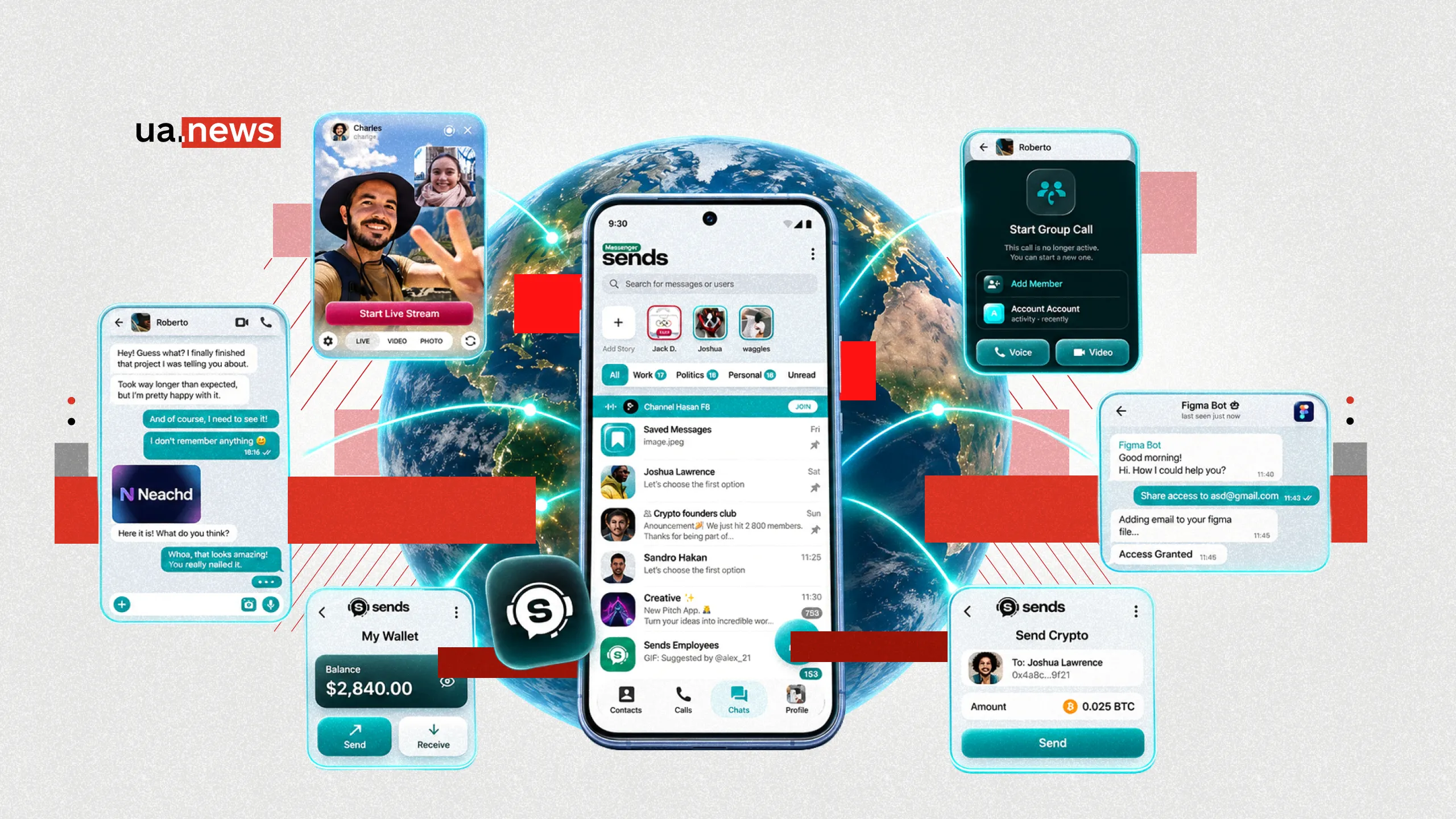
Sends Messenger combines private messaging, voice and video calls, group chats, and tools for working with cryptocurrencies. The service positions itself as an alternative to popular messaging platforms, emphasizing privacy, control over messages, and the ability to perform various digital tasks within a single app.
Among the available features are secret chats with end-to-end encryption, messages that disappear after a set time, additional account security, cross-device synchronization, and an integrated crypto wallet. However, privacy features depend on the selected communication mode: regular and secret chats operate on different principles.
Sends Messenger as an Alternative to Conventional Platforms

Today, messaging apps are used not only to send short messages but also to share personal documents, work files, photos, addresses, and other sensitive information. Therefore, when choosing an app, factors such as convenience and the number of contacts are becoming increasingly important, as are data storage methods, privacy settings, and the ability to manage chat history.
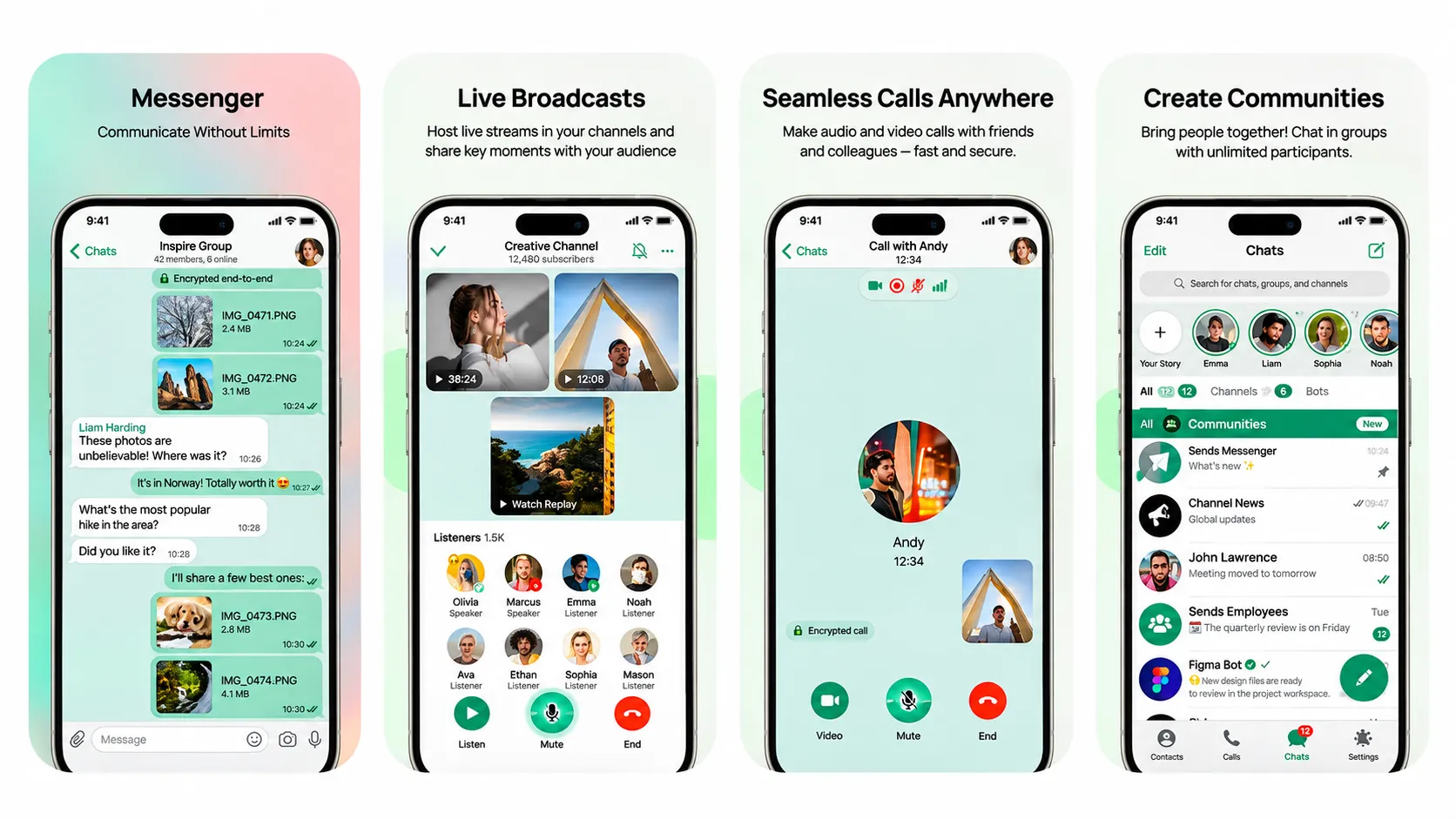
Sends offers one-on-one and group chats, calls, file sharing, channels, and communities. Users can edit or delete messages, organize conversations, and customize the interface. The service aims to combine familiar communication tools with additional features, particularly financial ones.
One of Sends’ goals is to create a space where the focus is on communication, rather than endlessly scrolling through recommended content.
How Regular and Secret Chats Work in Sends
Sends uses various models of data protection. Regular chats are stored in encrypted form in the cloud. This allows you to access your chat history after logging into your account from another device, such as a computer.
For more confidential conversations, secret chats with end-to-end encryption are available. According to the stated model, messages are encrypted on the sender’s device and decrypted on the recipient’s device. The encryption keys remain with the conversation participants, and the secret chat history is not synchronized via standard cloud storage.
This approach also applies to attachments: photos, videos, and other files in secret chats are additionally encrypted with separate keys. This is important when exchanging personal documents, addresses, or work materials that are not intended for third parties.
However, data encryption on servers is not the same as end-to-end encryption. Therefore, before sending sensitive information, you should check which type of chat is open. Security also depends on the status of participants’ devices: even encrypted messages won’t protect your data if an unauthorized person has access to an unlocked phone.
Disappearing Messages and Privacy Controls in Sends

In secret chats, you can set a timer for messages to be automatically deleted. The countdown begins once a message is read, and once it ends, the app deletes the content from participants’ devices. This applies not only to text but also to media files. This feature can be useful for temporary arrangements or information that doesn’t need to be stored for months.
In addition, Sends allows you to edit sent messages, delete them, and move less relevant conversations to the archive. These tools give users more control over what remains in their chat history.
For added security, a PIN code is provided, and the Screen Security feature hides the messenger’s content in the app preview on your smartphone.
However, automatic deletion does not prevent information from being copied. The other person can take a screenshot with another device or save the necessary information before the timer expires. These settings reduce certain risks but do not replace the need for caution when sharing confidential data.
Calls, Groups, and Work Tools in Sends
Sends supports text and voice messages, as well as sharing photos, videos, files, stickers, and GIFs. Group chats are available for collaboration or communicating with friends, while channels and communities are designed for a wider audience. Users can change themes and create their own sticker packs.
Another feature is audio and video calls, including group calls. During a call, you can control the microphone and camera, switch audio output devices, and choose how participants are displayed on the screen. These features allow you to use the messenger for both short personal calls and discussions about shared tasks.
The app includes personal notes where you can save links, documents, and short notes. It also offers text message translation and speech-to-text tools where available. Bots created by third-party developers via the API can be used to automate certain actions.
Crypto Wallet: What You Can Do in Sends
The built-in crypto wallet is one of the features that sets Sends apart from a traditional messaging app. It’s designed for storing, receiving, and sending digital assets. For example, users can agree on a transfer in a chat and then use the corresponding tool within the same app.
According to the service’s description, the wallet is non-custodial. This means that control over private keys or other means of accessing assets remains with the owner and is not transferred to a centralized operator.
The combination of communication and financial functions is one of Sends’ defining features. However, a crypto wallet is not required for regular messaging, calls, or file sharing.
When conducting cryptocurrency transactions, it is important to consider fees, potential asset price fluctuations, and the risk of fraud. A mistaken transfer to the wrong address often cannot be reversed, and losing your keys or recovery phrase can mean losing access to your funds. Therefore, the service’s financial features require the same level of caution as using a standalone crypto wallet.
Registration, Synchronization, and Data Usage in Sends
Sends works on Android and iOS smartphones and also supports desktop versions for Windows and macOS. Regular chats can be synced across devices: start a conversation on your phone and continue it on your computer. Secret conversations, which use a different security model, are not transferred via the cloud in this way.
In addition to standard registration, the app supports integration with eSends and Web3 numbers on the TON blockchain. This option allows users to avoid using their primary personal phone number when creating an account. However, a digital number alone does not make a person completely anonymous: other privacy settings and the data they disclose also matter.
eSends states that it does not use personal data for targeted advertising. At the same time, information about the account, device, IP address, and other technical parameters may be processed for the service to function. Contact synchronization occurs with the user’s consent, and the relevant settings can be changed.
The service’s privacy policy also describes the retention periods for certain metadata and the option to delete an account along with associated cloud data. This means that privacy should be evaluated not only based on the presence of encryption, but also on what information the platform processes and which additional features are enabled.
Who Might Find Sends Messenger Useful
During wars and other crises, protecting personal documents, addresses, routes, and work-related information becomes particularly important. It’s important for users to have tools that allow them to restrict access to sensitive correspondence. However, no app guarantees communication without an internet connection or complete protection against leaks.
Sends may appeal to those who need secret chats and control over their message history, as well as people who want to combine everyday communication with cryptocurrency transactions. At the same time, the number of features alone does not prove a higher level of security compared to other platforms: independent audits, the technical implementation of encryption, and a transparent data processing policy are essential for this.
The app is available for Android, iPhone, and iPad, as well as Windows and macOS.