A free navigation app could be a trap: how scammers infect smartphones
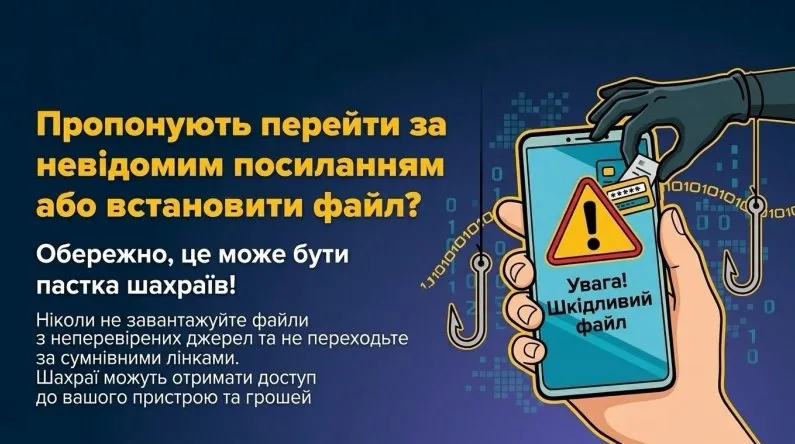
Free apps with offline maps seem like a convenient solution, especially when you need to use a navigation app without an Internet connection. However, behind an attractive offer on social media may lie a danger—malware that allows cybercriminals to gain access to your personal data and bank accounts.
How does the scam work?
Scammers advertise a navigation app that supposedly works without an internet connection, contains no ads, and is available for free. By clicking on the ad, the user is redirected to a third-party website where they are prompted to download the app via a Telegram bot. Instead of a useful app, the user receives a malicious file. During installation, the app may request permission to install from unknown sources and access the smartphone’s functions.
If the user agrees, attackers may be able to monitor activity on the device, intercept messages, and steal confidential information.It is especially dangerous if the malware gains access to SMS messages, notifications, or features that allow it to control the smartphone’s operation. This can help scammers steal login credentials and gain access to financial services.
How can you avoid falling for this scam?
To keep your data and funds safe, follow these simple rules:
- Download apps only from official app stores, such as Google Play and the App Store.
- Do not install files received via Telegram bots, third-party websites, or suspicious advertising links.
- Do not allow the installation of apps from unknown sources unless you are certain of their origin.
- Carefully review the permissions the app requests. A navigation app does not need unwarranted access to your SMS messages, notifications, or device control functions.
- Don’t trust offers just because an app is advertised as free and useful.
What should you do if you’ve already installed a suspicious app?
If you suspect your smartphone is infected, stop using banking apps and other important services on it. If possible, disconnect the device from the internet and use another, secure device to change the passwords for your important accounts. Uninstall the suspicious app and check its permissions.
If you can’t uninstall the app or it continues to run, contact technical support.
If you’ve entered banking information or noticed suspicious transactions, contact your bank immediately and ask them to secure your account. If you’ve been a victim of fraud, report it to the Cyber Police via the official online form.
More information about current scams and ways to protect yourself can be found on the StopFraud platform: https://stopfraud.gov.ua/
Remember: even an app that seems useful can be a tool for scammers. Don’t rush to download it, check the source, and don’t grant apps unnecessary permissions—after all, your smartphone’s security starts with your decisions.